
使用Ubuntu系统管理工具Landscape来构建离线APT仓库:第二篇
by liam zheng on 20 January 2022
在上一篇博客中,我们介绍了Landscape基本内容,服务器端、客户端的安装,以及API web界面的访问。现在,我们进一步介绍设置本地同步的精彩内容。
Debian系列 Linux 发行版(如 Ubuntu)使用存储库来保存可以安装在托管计算机上的软件包。虽然 Ubuntu 有任何人都可以访问的在线存储库,但您也可以在本地网络上维护自己的存储库。当您想要维护与社区存储库中的版本不同的软件包时,或者如果您有用于安装的内部软件软件包,这可能很有用。一旦您将机器添加到 Landscape 存储库配置文件,它将接管源文件。从现在开始,您将可以使用 Landscape 管理您需要的所有 apt 资源。
Repositories 及 DEB 或 ATP 对于只熟悉的 RPM 和 YUM 人可能新的。了解基本概念使命令易于使用和理解。在 sources.list 行中,您会看到:
ubuntu@vm-landscape-server:~$ egrep '^deb' /etc/apt/sources.list
deb http://hk.archive.ubuntu.com/ubuntu bionic universe main restricted multiverse
deb http://hk.archive.ubuntu.com/ubuntu bionic-updates universe main restricted multiverse
deb http://hk.archive.ubuntu.com/ubuntu bionic-security universe main restricted multiverse
deb http://hk.archive.ubuntu.com/ubuntu bionic-backports universe main restricted multiverse
ubuntu@vm-landscape-server:~$
它带有以下格式:
deb http://archive.ubuntu.com/DISTRIBUTION/ SERIES-POCKET COMPONENT [COMPONENT ...]
其中:
●	distribution: ubuntu
●	series: bionic  ( bionic is 18.04 LTS, 20.04 is focal, 22.04 is  jammy which will be release on July 2022)
●	pockets: release, updates, security
●	components: main, restricted, universe, multiverse
理解这些概念对于通过 Landscape-api 使用 rpos 管理器很重要。在设置本地仓库时,您需要:
●	检查 root (/) 的可用磁盘空间,20.04 大约需要 120G。
●	为本地 repos 签名创建 gpg 密钥
●	使用landscape-api 创建distribution (ubuntu), series (focal for 20.04) and pockets ( release, updates, security)
●	一个一个地同步pockets
下面是命令和输出的示例:
生成一个gpg 密钥,在物理主机上运行而不是在虚拟机上运行。在我的情况下随机需要很长时间并且似乎从未完成,因此如果您在虚拟机上测试 Landscape 服务器,请在另一台主机上运行它。
zlmao@p14s:~$ gpg --gen-key
...
Real name: landscape-server
You selected this USER-ID:
    "landscape-server "

Change (N)ame, (E)mail, or (O)kay/(Q)uit? O
We need to generate a lot of random bytes. It is a good idea to perform
some other action (type on the keyboard, move the mouse, utilize the
disks) during the prime generation; this gives the random number
generator a better chance to gain enough entropy.
We need to generate a lot of random bytes. It is a good idea to perform
some other action (type on the keyboard, move the mouse, utilize the
disks) during the prime generation; this gives the random number
generator a better chance to gain enough entropy.
gpg: key C308D9A6A02FE060 marked as ultimately trusted
gpg: revocation certificate stored as '/home/zlmao/.gnupg/openpgp-revocs.d/BE506AEAAAAA977F0302B161C308D9A6A02FE060.rev'
public and secret key created and signed.

pub   rsa3072 2022-01-04 [SC] [expires: 2024-01-04]
      BE506AEAAAAA977F0302B161C308D9A6A02FE060
uid                      landscape-server
sub   rsa3072 2022-01-04 [E] [expires: 2024-01-04]

zlmao@p14s:~$ gpg -a --export-secret-keys BE506AEAAAAA977F0302B161C308D9A6A02FE060 > mirror-key.asc
将 mirror-key.asc 传输到 Landscape server,然后执行以下步骤,请选择您所在的国家/地区镜像源 http://hk.archive.ubuntu.com/ubuntu/ 的 repos 像 cn 而不是 hk。
ubuntu@vm-landscape-server:~$ landscape-api import-gpg-key mirror-key mirror-key.asc
{u'fingerprint': u'be50:6aea:aaaa:977f:0302:b161:c308:d9a6:a02f:e060',
 u'has_secret': True,
 u'id': 1,
 u'key_id': u'C308D9A6A02FE060',
 u'name': u'mirror-key'}
ubuntu@vm-landscape-server:~$ landscape-api create-series --pockets release,updates,security --components main,restricted,universe,multiverse --architectures amd64 --gpg-key mirror-key.asc --mirror-uri http://hk.archive.ubuntu.com/ubuntu/ --mirror-series focal focal ubuntu
{u'creation_time': u'2022-01-04T08:50:46Z',
 u'name': u'focal',
 u'pockets': [{u'apt_source_line': u'deb http://vm-landscape-server.maas/repository/standalone/ubuntu focal-updates restricted',
               u'architectures': [u'amd64'],
               u'components': [u'restricted'],
               u'creation_time': u'2022-01-04T08:50:46Z',
               u'gpg_key': {u'fingerprint': u'be50:6aea:aaaa:977f:0302:b161:c308:d9a6:a02f:e060',
                            u'has_secret': True,
                            u'id': 1,
                            u'key_id': u'C308D9A6A02FE060',
                            u'name': u'mirror-key'},
               u'include_udeb': False,
               u'mirror_suite': u'focal-updates',
               u'mirror_uri': u'http://hk.archive.ubuntu.com/ubuntu/',
               u'mode': u'mirror',
               u'name': u'updates'}]}
ubuntu@vm-landscape-server:~$
ubuntu@vm-landscape-server:~$ landscape-api sync-mirror-pocket updates focal ubuntu
{u'activity_status': u'undelivered',
 u'children': [{u'activity_status': u'undelivered',
                u'children': [],
                u'completion_time': None,
                u'creation_time': u'2022-01-04T08:54:22Z',
                u'creator': {u'email': u'root@localhost',
                             u'id': 1,
                             u'name': u'root'},
                u'id': 2,
                u'modification_time': u'2022-01-04T08:54:22Z',
                u'parent_id': 1,
                u'pocket_id': 1,
                u'pocket_name': u'updates',
                u'progress': 0,
                u'result_code': None,
                u'result_text': None,
                u'schedule_after_time': None,
                u'schedule_before_time': None,
                u'summary': u"Sync pocket 'updates' of series 'focal' in distribution 'ubuntu'",
                u'type': u'SyncPocketRequest'}],
 u'completion_time': None,
 u'creation_time': u'2022-01-04T08:54:22Z',
 u'creator': {u'email': u'root@localhost', u'id': 1, u'name': u'root'},
 u'deliver_delay_window': 0,
 u'id': 1,
 u'parent_id': None,
 u'result_code': None,
 u'result_text': None,
 u'summary': u"Sync pocket 'updates' of series 'focal' in distribution 'ubuntu'",
 u'type': u'ActivityGroup'}
ubuntu@vm-landscape-server:~$
检查并等待同步完成:
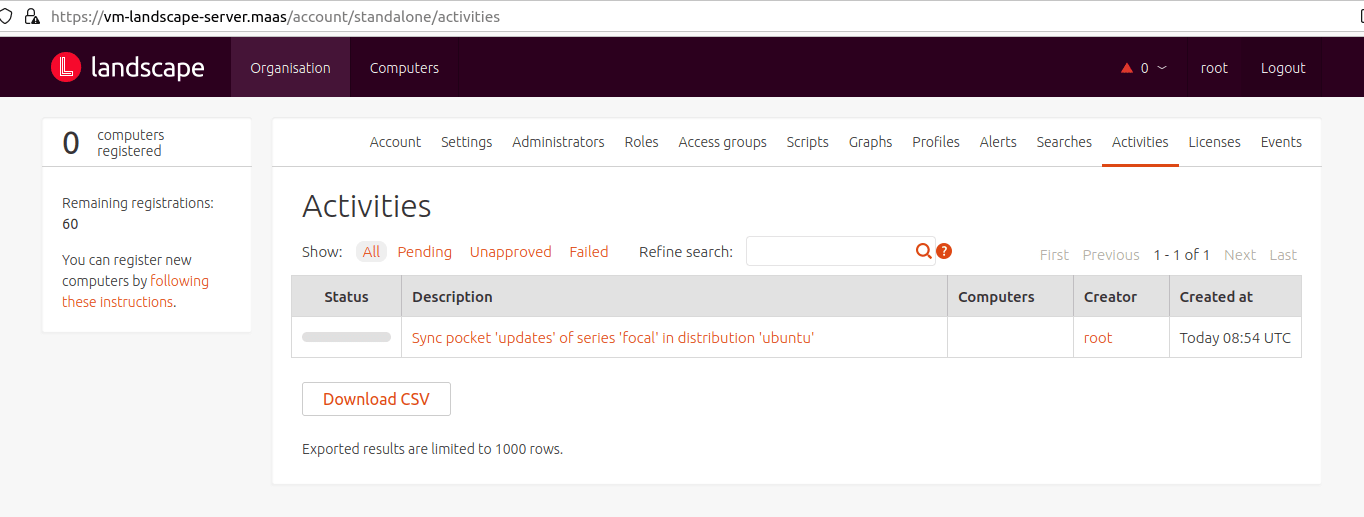
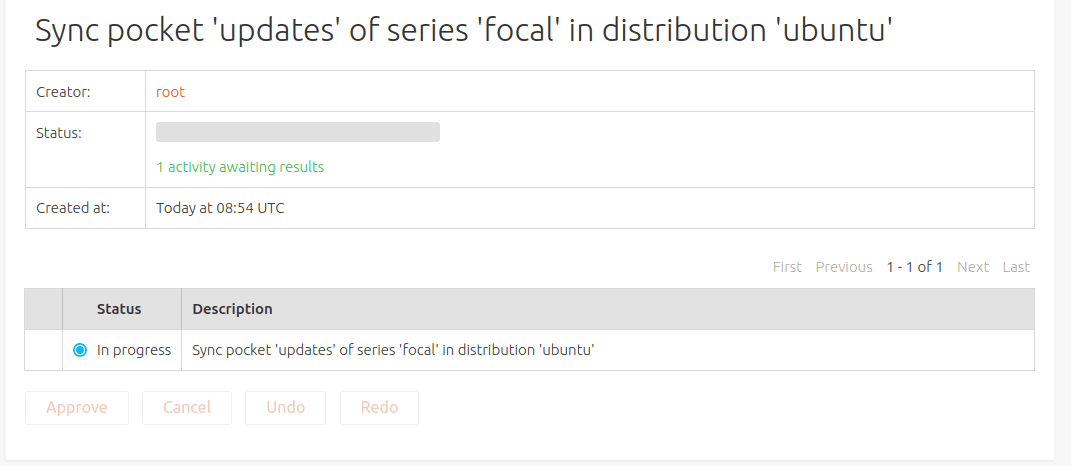
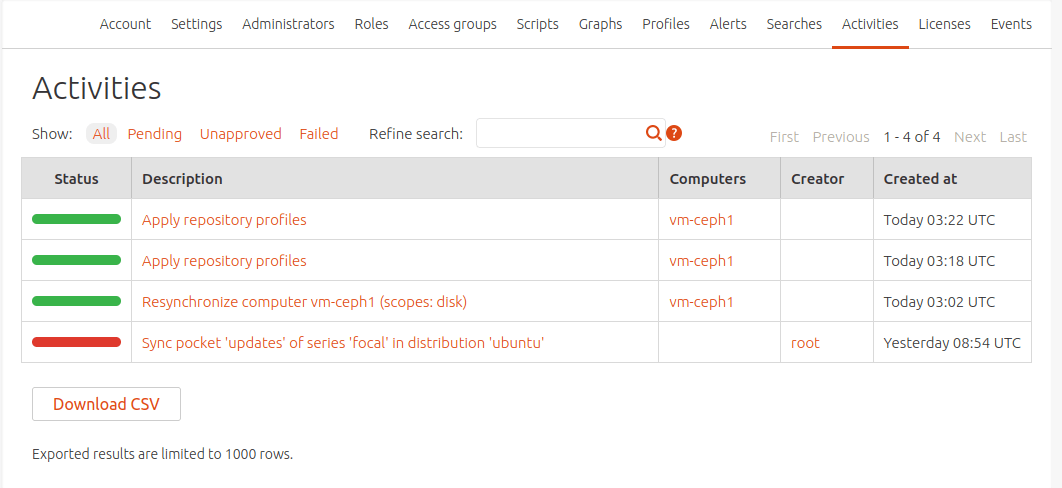
如果发现同步错误,请再次同步,如:
landscape-api sync-mirror-pocket updates focal ubuntu
您还可以检查和监控下载,如下所示:

ubuntu@vm-landscape-server:/var/lib/landscape/landscape-repository/standalone/ubuntu$ sudo du -sh pool/
7.2G	pool/
ubuntu@vm-landscape-server:/var/lib/landscape/landscape-repository/standalone/ubuntu$ sudo du -s pool/
7537356	pool/
ubuntu@vm-landscape-server:/var/lib/landscape/landscape-repository/standalone/ubuntu$ sudo du -s pool/
7544152	pool/
ubuntu@vm -landscape-server:/var/lib/landscape/landscape-repository/standalone/ubuntu$
一步一步地同步其余 pockets 如下:
- landscape-api sync-mirror-pocket security focal ubuntu
- landscape-api sync-mirror-pocket release focal ubuntu
注意:根据您的网络下载速度,第一次完全同步需要几十个小时。
本教程由Canonical FE Mao Zhanglei 所撰写。订阅博客文章
查看更多内容
Canonical 发布 Ubuntu 26.04 LTS Resolute Raccoon
Ubuntu 为企业工作负载提供深度芯片优化与前沿安全防护(第 11 个长期支持版本)。 2026 年 4 月 23 日,Canonical 正式发布代号为 “Resolute Raccoon” 的 Ubuntu 26.04 LTS,用户可通过 Ubuntu 下载页面进行下载并安装。 Resolute Raccoon 在过渡版本推出的高稳定性优化基础上进一步升级,支持 TPM 硬件全盘加密、优化应用权限弹窗提示功能、为基于 Arm® 架构的服务器提供 Livepatch 实时补丁更新,并采用基于 Rust 语言的工具以提升内存安全性。该版本原生支持 NVIDIA CUDA、AMD ROCm 等行业领先的 AI/ML 工具包,使 Ubuntu 26.04 LTS 成为 AI […]
快速推进 Renesas RZ 平台上的工业与 AI 部署
已认证的 Ubuntu 24.04 LTS 镜像现已可用 Canonical 欣然宣布,面向 Renesas RZ/G2L 和 RZ/G2LC 64 位微处理器(MPU)平台的已认证 Ubuntu 24.04 LTS 及 Ubuntu Core 24 镜像现已正式发布通用(GA)版本。借助可直接用于生产环境的 Ubuntu 版本,用户可获得企业级安全保障、长期技术支持,并充分启用 Renesas RZ/G 系列丰富的多媒体功能。 除面向 RZ/G2L 和 RZ/G2LC 的 GA 发布外,Canonical 同时推出适用于 Renesas RZ/V2L 平台的 Ubuntu 镜像,并提供 AI Snap 教程,用于在 Ubuntu 上部署 Renesas AI 应用。该镜 […]
SQL Server 2025 已在 Ubuntu 24.04 LTS 上正式发布
Microsoft 已宣布 SQL Server 2025 在 Ubuntu 24.04 LTS 上正式发布通用(GA)版本,首发版本为 CU1。这一里程碑意味着企业可在我们最新的长期支持版系统上部署关键业务工作负载,受益于可预期的稳定性与最新内核。 更新你的软件源 如果您一直在测试预览版,必须切换软件源配置,以确保使用正式生产版本。要切换软件源配置,请将您的源从 mssql-server-preview.repo 更新为 mssql-server-2025.repo。继续使用预览版软件源可能会导致安装不适用于生产环境工作负载的预发布版本。 Linux 增强功能 SQL Server 2025 CU1 针对在 Linux 基础设施上管理数据库推出了特定改进。 新增的动态管 […]